IDELYRA

Version 1.0.0+1

Private Identity Protection

Your identity. Your device. Your control.

IDELYRA is an offline Android app for phones and tablets. It helps you prepare copies of identity documents before you hand them over: scan, watermark, hide sensitive parts, clean metadata and export. Everything happens on the device.

Version 1.0.0+1 is a release candidate. It is signed and was tested with more than 3,000 automated tests on a Linux build machine. It has not yet been verified on a physical Android phone or tablet. Do not rely on it for real documents until you have tried it on your own device.

  • Offline processing
  • No account required
  • No cloud upload
  • No document history
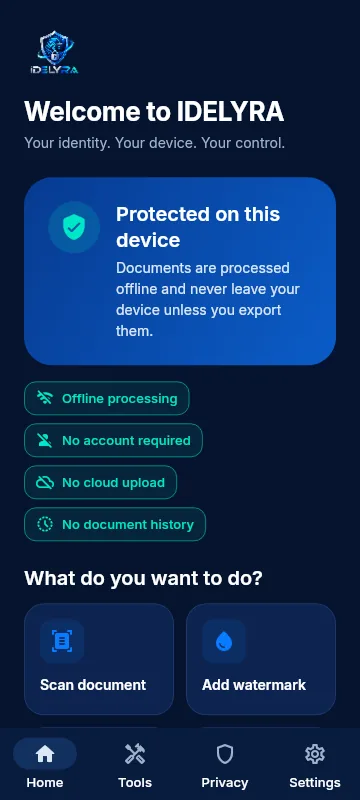
IDELYRA home screen, with the welcome message, privacy chips and the main tools
Interface renderings from the development machine, not photographs of a phone.

What the app does

When you share a copy of an identity document, the recipient often sees more than they need: a clean scan, hidden metadata such as location, and fields that are irrelevant to the request. IDELYRA stays on your phone or tablet and gives you tools to prepare a more limited copy, then export only what you confirm.

  • Prepare a copy before you send it

    Scan a document or import a picture or PDF, then watermark it, hide parts the recipient does not need, and remove hidden metadata.

  • Work only on this device

    The release app has no internet permission, so Android does not let it open a network connection. There is no account and no server for IDELYRA.

  • You decide what leaves the app

    Nothing is saved to your gallery automatically. A file leaves the app only after you confirm a save in Android's Save to dialog, or a share in the system share sheet.

What IDELYRA is not

IDELYRA is a privacy tool. Watermarks, hidden areas and QR codes are protective markings that you add yourself. IDELYRA does not verify, certify or authenticate documents, is not affiliated with any government or organisation, and does not give documents any legal validity. Text recognition is not an authenticity check. Encrypted PDFs are refused.

Every tool

The home screen offers eight shortcuts, plus a guided workflow. The Tools tab lists every tool except Privacy Center, which has its own tab. The items below describe what the code actually does.

Interface renderings from the development machine, not photographs of a phone.

Scan document

Open the in-app camera (CameraX) or import a file. The scanner can detect edges, correct perspective, crop, rotate, adjust brightness and contrast, and remove shadows. Front and back sides are supported. Pictures taken in the app are not saved to your gallery. The camera permission is requested only when you open the camera; you can refuse it and import files instead.
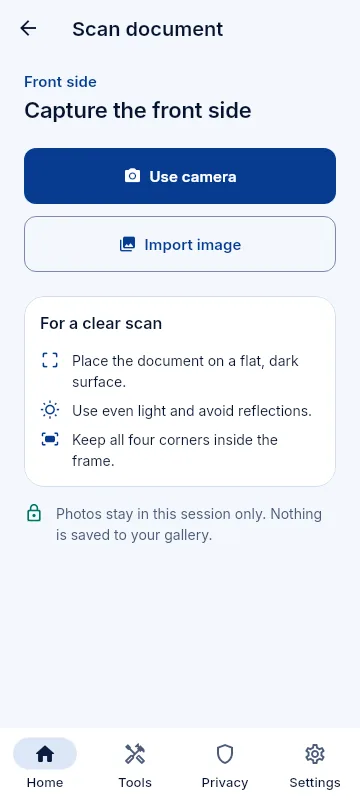
Scan document
Interface renderings from the development machine, not photographs of a phone.

Add watermark

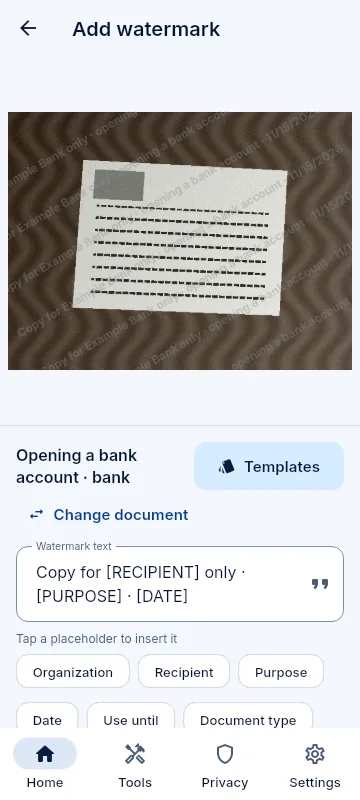
Burns a text watermark into the pixels so it is part of the image, not a separate layer. You can include a recipient, a purpose, a date and custom placeholders. Patterns include diagonal, horizontal, repeated, wave, one position (nine places) and full page. A library of 130 built-in templates covers Spain, France and international use, in four languages, and you can add your own.

Add watermark
Interface renderings from the development machine, not photographs of a phone.

Hide sensitive information

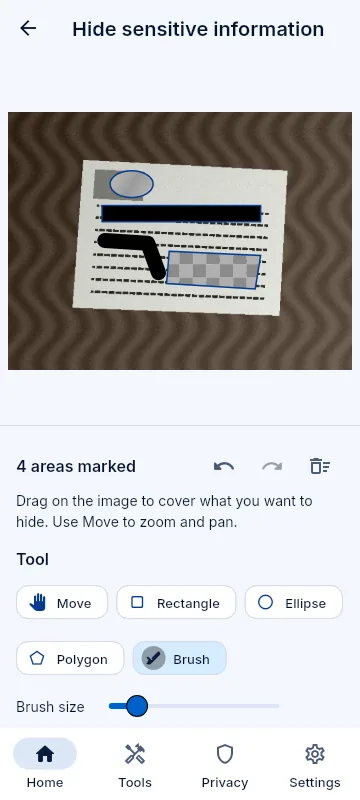
Irreversible redaction: solid boxes (the default), blur, or pixelate. These methods never sample the hidden pixels, so the hidden content is not kept underneath. On-device OCR can suggest ID numbers, MRZ lines, IBANs, dates and names; you review every suggestion before anything is hidden.

Hide sensitive information
Interface renderings from the development machine, not photographs of a phone.

Protect PDF

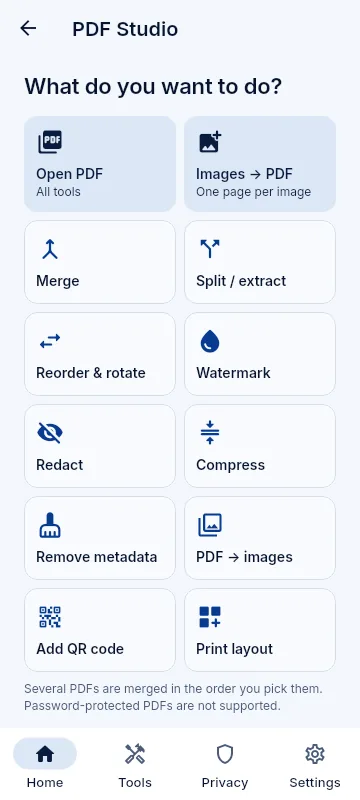
A PDF studio with a task-first start: merge, split or extract, reorder and rotate, watermark, redact, compress, remove metadata, PDF to images, images to PDF, add a QR code, and print layout. You can work on a page grid with drag to reorder, multi-select, zoom, undo and redo, then export from a result screen. Lossless page operations save without metadata. Flatten, compress, watermark and redact rebuild pages from pixels. Encrypted PDFs are refused.

Protect PDF
Interface renderings from the development machine, not photographs of a phone.

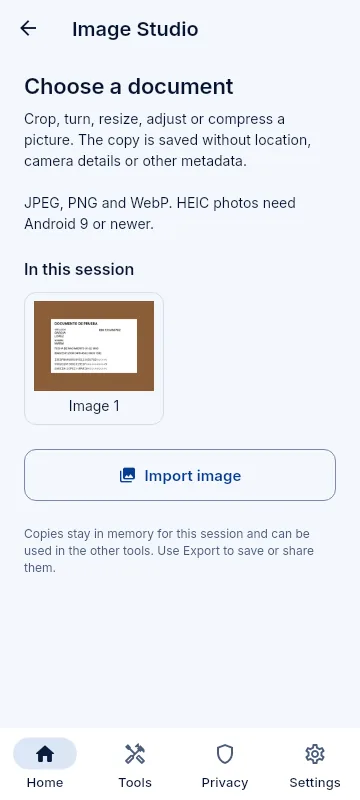
Edit image

Crop (free and fixed ratios), rotate, mirror, convert to grayscale, adjust brightness and contrast, resize, and export as JPEG or PNG without metadata.

Edit image
Interface renderings from the development machine, not photographs of a phone.

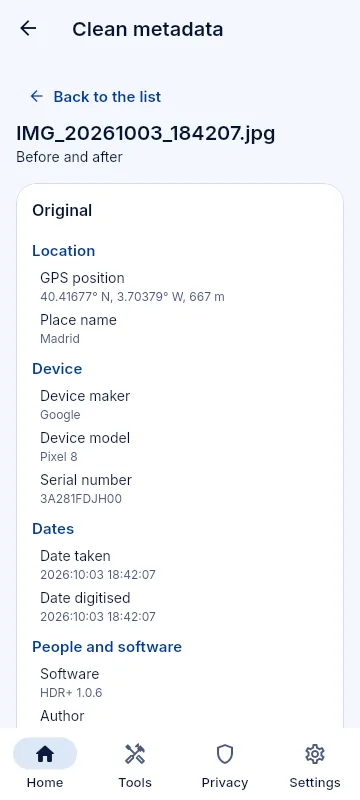
Clean metadata

Removes EXIF, GPS, XMP, IPTC, thumbnails and trailers from JPEG, PNG, WebP and HEIC, and Info and XMP from PDFs. The app shows a before and after report so you can see what was removed.

Clean metadata
Interface renderings from the development machine, not photographs of a phone.

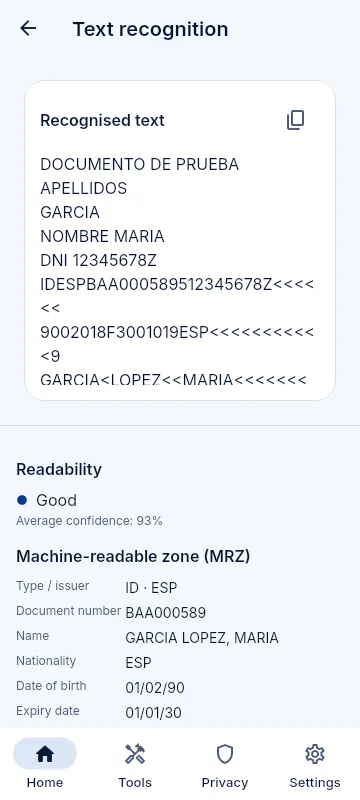
Text recognition (OCR)

Offline Tesseract 5 with Arabic, English, French and Spanish models. You can copy recognised text, or send detections to the redaction tool. Recognition runs on the device and is not an authenticity check.

Text recognition (OCR)
Interface renderings from the development machine, not photographs of a phone.

Batch processing

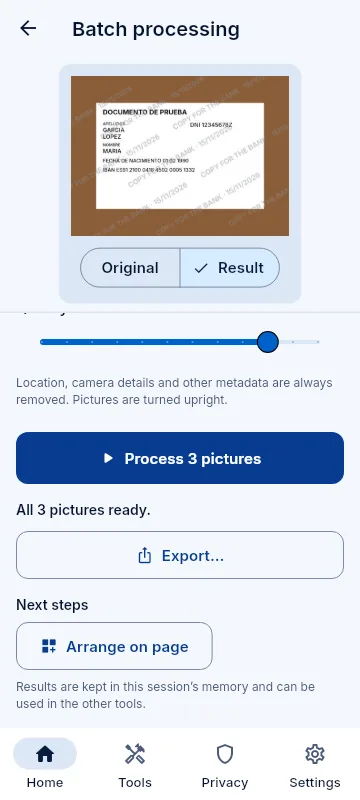
Apply the same settings to up to 50 pictures at once: size, black and white, format, quality, and one watermark.

Batch processing
Interface renderings from the development machine, not photographs of a phone.

QR tools

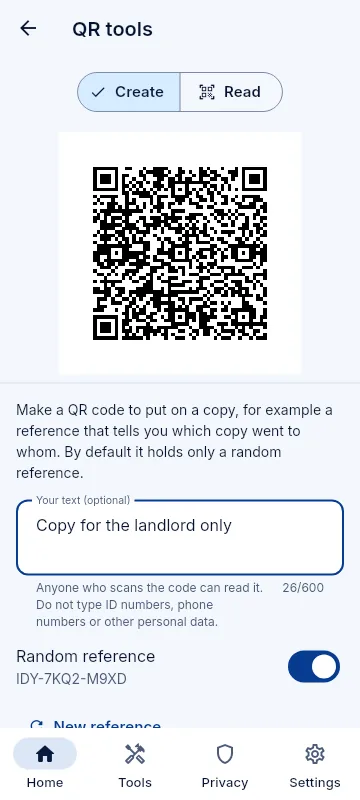
Create a QR code with a random reference, and optionally a date and a SHA-256 fingerprint. Read QR codes from the camera or from a file. If a code contains a link, IDELYRA shows you the full address and asks you to confirm before it opens in your browser or in another app.

QR tools
Interface renderings from the development machine, not photographs of a phone.

Document layout

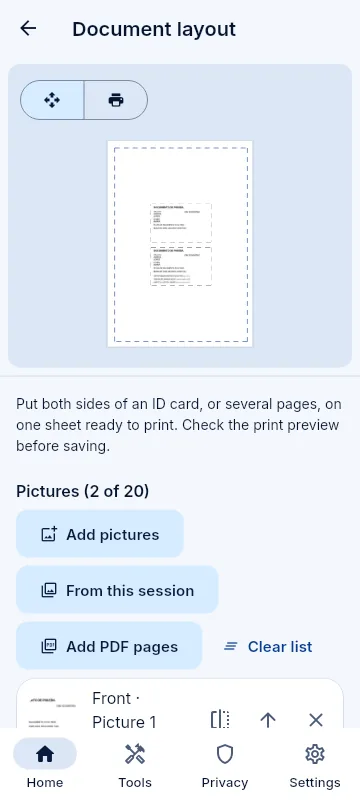
Place 1, 2 or 4 items per page, or an ID card front and back at real size (85.6 by 53.98 mm) on A4 or Letter paper, with cut guides.

Document layout
Interface renderings from the development machine, not photographs of a phone.

Export Center

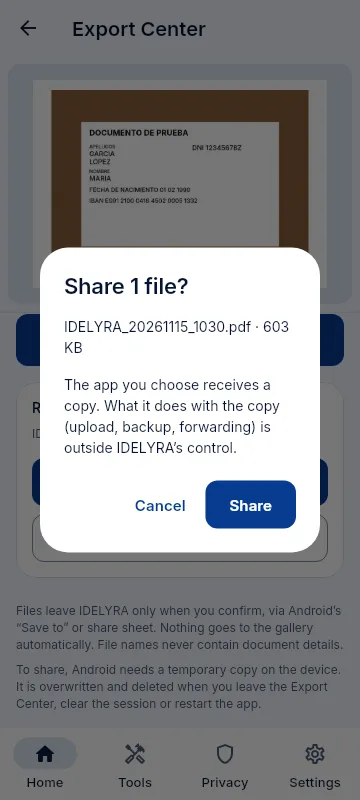
Save through Android's Save to dialog or share through the system share sheet, only after an explicit confirmation. What happens after that is decided by you and by the place or app you chose; it is no longer under the control of IDELYRA.

Export Center
Interface renderings from the development machine, not photographs of a phone.

Guided workflow

A single flow that takes you through scan, protect and export in order, so you can prepare a copy without jumping between tools.

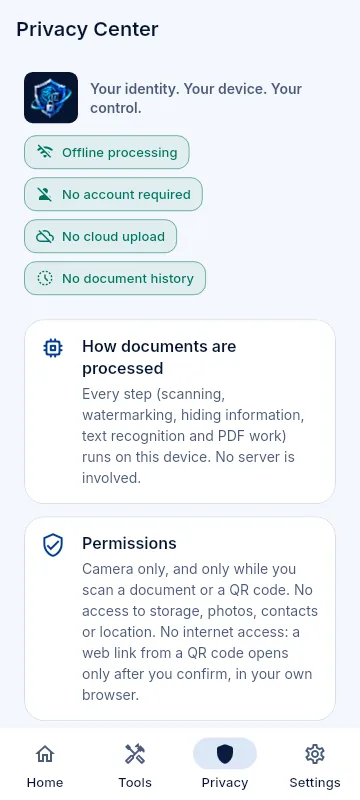
Privacy Center

Explains what the app does, what it does not do, and what it cannot control (for example data that may remain on flash storage after a file is deleted).

Privacy Center
Interface renderings from the development machine, not photographs of a phone.

Settings

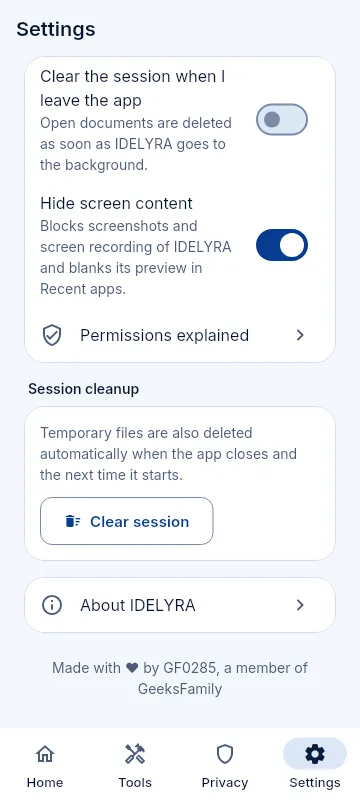
Language (system, Arabic, English, Spanish or French), appearance (system, light or dark), scanner options (front and back, auto enhance), default export format (PDF, JPG or PNG) and quality, a switch to clear the session when you leave the app, and a switch to hide the screen from screenshots and the Recents preview (on by default). You can also clear the current session, review permissions, and open About and Licenses.

Settings
Interface renderings from the development machine, not photographs of a phone.

Privacy model

The privacy claims in the app are tied to technical controls. This is what the release build actually enforces.

  • No INTERNET, network state, storage, media, location, microphone or advertising-ID permission in the release manifest. Those entries are removed, so Android refuses them even if a library tries to request them.
  • The only runtime permission is Camera, used to scan a document or read a QR code, and only when you open the camera.
  • Files are opened through Android's system picker (Storage Access Framework). The app receives only the file you pick, and does not ask for broad storage access.
  • Documents live in memory and in one private temporary folder. That folder is overwritten and deleted when you tap Clear session, when the app closes, and again every time the app starts. There is no document history.
  • Settings and your own watermark templates stay on the device and are excluded from Android cloud backup and device transfer.
  • No analytics, advertising, crash reporting or tracking libraries are included. Release builds silence diagnostic logs.
  • Screenshots and the Recents preview are blocked by default (FLAG_SECURE). You can turn this off in Settings.
  • Text fields opt out of keyboard learning.
  • If you open a link stored in a QR code, you first see the full address and must confirm. The link then opens in another app, under that app's privacy policy.

Privacy policy

How it works

A typical path is short and stays on the device.

  1. Scan or import

    Capture a document with the in-app camera, or pick a picture or PDF with the system file picker.

  2. Protect the copy

    Add a watermark, hide what the recipient does not need, clean metadata, or use the other tools. Suggestions from OCR are only applied after you review them.

  3. Confirm the export

    Open Export Center, choose Save or Share, and confirm. Until you do that, the file does not leave the app.

Permissions

The release app asks the user for a single permission. Everything else listed below is removed from the merged manifest.

Permissions in the release app (package com.idelyra.app)
PermissionTypeWhy it is there
CAMERARequestedScan a document or read a QR code with the in-app camera. Requested only when you open the camera. You can refuse it and import files instead. Captures are not saved to the gallery.
INTERNETRemovedRemoved so the app process cannot open network sockets.
ACCESS_NETWORK_STATERemovedRemoved. The app does not read network status.
ACCESS_WIFI_STATERemovedRemoved. The app does not read Wi-Fi status.
READ_EXTERNAL_STORAGE / WRITE_EXTERNAL_STORAGERemovedRemoved. Files come in through the system picker, not through broad storage access.
READ_MEDIA_IMAGES / READ_MEDIA_VIDEO / ACCESS_MEDIA_LOCATIONRemovedRemoved. The app does not browse your gallery or media location.
ACCESS_FINE_LOCATION / ACCESS_COARSE_LOCATIONRemovedRemoved. The app never requests location.
RECORD_AUDIORemovedRemoved. The camera library would otherwise request the microphone for video; IDELYRA does not need it.
AD_IDRemovedRemoved. There is no advertising identifier.

System requirements

IDELYRA is an Android-only app. There is no iOS version.

Requirements for version 1.0.0+1
ItemDetail
SystemAndroid 7.0 (API 24) or newer, up to the current target of API 36 (Android 16).
DevicePhone or tablet, including large screens, foldables, split screen and free-form windows. A touchscreen is not required. Portrait and landscape are both supported.
CameraOptional. Import through the file picker works without a camera.
LanguagesArabic (right to left), English, Spanish and French, including a right-to-left layout and support for large text (up to 200 percent) and screen readers.
Installed sizeThe APK size plus about 28.3 MB, because native libraries are compressed in the APK and Android unpacks them at install, plus up to 9 MB when the OCR models are unpacked on first use. This was estimated on the build machine, not measured on a phone.
Package namecom.idelyra.app

Download

Signed release APKs for version 1.0.0+1. The app source stays private. Only these built packages are published, in the public repository GF0285/idelyra-releases. Prefer the arm64 file on almost every phone and tablet from the last eight years.

ARM64 (arm64-v8a) Recommended for most phones and tabletsMost phones and tablets · 23.3 MB
SHA-256b0f45fbadacc717a85c8502b7d964cfeacb88b054ce438b7a0007e986e407f37
ARM 32-bit (armeabi-v7a)Older 32-bit ARM devices only · 22.9 MB
SHA-25663fcaf4983a6a19b3f7af86f25a20706c82c077bd16f3ab7f3633e3385aebbd0
x86_64x86_64 emulators and some Chromebooks · 23.7 MB
SHA-25698e6a2035aabbafe11896a0e8faa8db954a49ed03125024f47ccc2218058a69f
UniversalAll of the above in one file, if you are unsure · 47.9 MB
SHA-256b3d5f60756597dd022b6047847bef45a7516b069280503e729e3b13b1cb90e82

All files on GitHub · SHA256SUMS

Signing certificate SHA-256

c3b68180eaa26999cdd964368b186430046118a74049bbc8c180dda44a13fc4b

The four APKs are signed with the same release certificate (CN=IDELYRA Release, O=IDELYRA, C=ES), using APK Signature Scheme v2 and v3. You can check a downloaded file with apksigner verify --print-certs and compare this digest, and you can check the file hash against SHA256SUMS.

Each file has a different versionCode: armeabi-v7a 1001, arm64-v8a 2001, x86_64 4001, universal 1. Android refuses to install a lower versionCode over a higher one. If you install the arm64 APK (2001), you cannot later install the universal APK (1) on top of it; uninstall first. Uninstalling clears settings and your own templates. The app keeps no documents.

How to install an APK

These are the standard Android steps for installing a file that does not come from Google Play. Version 1.0.0+1 has not yet been installed on a physical device as part of the project tests, so try it first with a document that is not sensitive.

  1. Choose the right file. On a typical phone or tablet, use the arm64-v8a APK (about 23.3 MB). Use the 32-bit ARM file only on older 32-bit devices, the x86_64 file on matching emulators or some Chromebooks, and the universal file if you are not sure.
  2. Download and, if you want, verify. Save the APK, then optionally compare its SHA-256 with the value on this page or in SHA256SUMS. A changed file produces a different digest.
  3. Open the file. Open the APK from your downloads or from the Files app. Android may ask you to allow Install unknown apps for the app you opened it from (Files, the browser, or another source). Allow it for that app only, then go back.
  4. Install. Tap Install. Play Protect may show a warning because the app is not from Google Play; read it and choose whether to continue.
  5. Optional tidy-up. You can turn Install unknown apps off again for that source after the install.

IDELYRA is not on Google Play yet. A Play build, if published later, would be re-signed by Google and could not be installed over this sideloaded build without uninstalling first.

Frequently asked questions

Does the app work offline?

Yes. The release app has no internet permission, so Android does not let it connect to a server. Lists, OCR models and processing are all on the device.

Do I need an account?

No. There is no registration, no sign-in and no cloud storage.

Does IDELYRA verify or certify my documents?

No. Watermarks, hidden areas and QR codes are markings you add yourself. The app does not authenticate documents and gives them no legal validity. OCR does not prove that a document is genuine.

What is the only permission?

Camera, and only when you open the in-app camera to scan a document or read a QR code. You can import files without it.

Where do my documents go?

They stay in memory and in a private temporary folder. That folder is overwritten and deleted when you clear the session, close the app, or start it again. Nothing is saved to the gallery unless you confirm an export.

Which APK should I download?

The arm64-v8a file, unless you know you have a 32-bit ARM device, an x86_64 emulator or Chromebook, or you prefer the larger universal file.

Why do the files have different version numbers inside?

Android versionCode is 2001 for arm64, 1001 for 32-bit ARM, 4001 for x86_64 and 1 for the universal APK. You cannot install a lower code over a higher one. Uninstall first if you need to switch.

Can I open an encrypted PDF?

No. Encrypted PDFs are refused.

Is there an iOS app?

No. IDELYRA is Android only, from Android 7.0.

Has this version been tested on a real phone?

Not yet. Automated tests ran on a Linux build machine. Treat 1.0.0+1 as a release candidate until you have tried it yourself.

Version and changelog

Version 1.0.0 (build 1), dated 18 November 2026, Europe/Madrid. This is the first public release candidate. Dates below use that time zone.

1.0.0+1 (18 November 2026)

  • First release candidate: scanner, watermark studio with 130 built-in templates, irreversible redaction, PDF studio, image editor, metadata cleaner, offline OCR (Arabic, English, French, Spanish), batch processing, QR tools, document layout, Export Center and a guided workflow.
  • Privacy hardening: no internet permission, ephemeral session files, FLAG_SECURE on by default, release log silencing, and exclusion from Android backup.
  • Four languages with a right-to-left layout for Arabic, plus adaptive layouts for phones and tablets.
  • Signed per-ABI and universal APKs, with the release key kept outside the source repository.
  • In this build, file import uses the system Storage Access Framework instead of a third-party picker, so picked files are not copied into a shared cache folder.

Not included: any run on a physical Android device or emulator, and no iOS edition.